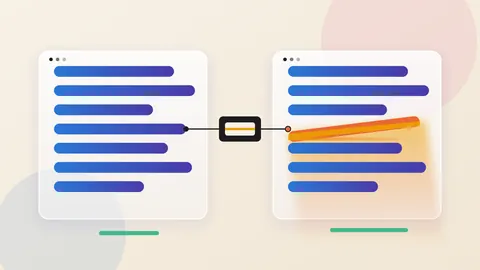
- Google is updating Chrome's Enhanced Protection mode to warn users when a page gets them to copy a dangerous command, a tactic known as ClickFix.
- The checks matter because the download happens in the terminal, outside the browser's download protections. They apply only to Enhanced Protection users.
- Find out which staff use Enhanced Protection, and teach them that no legitimate site needs them to paste a terminal command to fix a problem.
Browsers have spent years learning to inspect downloads. ClickFix scams work by making sure the browser downloads nothing. The user copies a command and runs it. The browser's checks never see a file.
Google is updating Chrome's Enhanced Protection mode around that gap, Help Net Security reported on October 20. The lesson is that when attackers route around a control, the defence has to move to where the human acts. For ClickFix, that place is the clipboard.
Why the terminal beats the download check
Help Net Security describes ClickFix scams as pages that ask users to "fix" a fake problem. The fix is to copy a command and run it on their own computer. The text placed on the clipboard may not match the instruction displayed on the page. Reading the page carefully is therefore no guarantee of knowing what will run.
Such commands often call LOLBins, short for living-off-the-land binaries. The idea is that attackers borrow programs the computer already trusts, with PowerShell and cmd.exe as named examples, instead of bringing their own tools. The report says attackers use them to fetch and install malware, to hide their activity and to benefit from the trust security software gives them.
The key point is where the download happens. According to the report, moving it from the browser to the terminal lets attackers bypass Chrome and Safe Browsing download protections. A person who believes they are fixing a problem is not the person a download warning was designed for.
What Google changed
The first change concerns the clipboard. For Enhanced Protection users, a suspicious copied command has personal details removed, and the rest goes to Safe Browsing for review. Chrome shows a warning if the verdict is that the command is dangerous.
The second change is where Chrome's Gemini-powered scam detection runs. It used to run on the device. For Enhanced Protection users it now runs on Google's servers. Coverage grows from tech support scams to fake antivirus and fake browser update scams.
The model weighs the brand a page imitates, the page's intent and the likelihood of a scam. Safe Browsing then adds domain reputation and other signals to reach a final verdict.
The third change is a new "suspicious site" warning with its own format, icons, colors and text. Google's Jasika Bawa said the tailored design lets Chrome "safely expand our coverage to display a higher volume of protective warnings." Pages known to be malicious still get the full-page red warning.
What Google's numbers show, and what they do not
Google claims a tenfold advantage for Enhanced Protection over Standard Protection. The claim covers a broad range of online scams, not ClickFix alone. The yardstick, according to the report, is the average number of safety warnings each group of users saw.
That measures warnings, not harm prevented. The report does not say how many scams were stopped or how the two groups of users differ. Treat the figure as Google's own and as a signal, not proof of outcomes.
The privacy trade-off
Better detection here means sending more data to Google. The company states that a page's text is submitted only when the site shows strong scam signals. Google also says it does not log or keep that content, and does not use it to train models. The clipboard payload has personal information removed before it is sent.
These are Google's statements as reported. Organisations with strict data rules should read them against their own policies.
Questions to put to your security team
Which of our staff use Enhanced Protection, and which use Standard Protection? The new checks apply to the former. If the setting is left to individuals, coverage will be uneven.
Do our endpoint tools watch what PowerShell and cmd.exe are asked to do, or do they trust those tools by default? The report notes that attackers rely on exactly that trust.
Does staff training say plainly that no legitimate website needs you to paste a command into a terminal to fix a problem? That is a short rule an employee can remember.
Do our data protection reviewers accept that clipboard content, with personal information removed, may be sent to Safe Browsing?
Chrome's change does not remove the trick. It places a checkpoint where the trick now happens. A control that ignores where the user acts can be routed around, and ClickFix shows how.
Produced by the WebPulse Newsroom with AI assistance from the original reporting credited below, and checked against that source by our editorial review. How we use AI.
Original reporting: Help Net Security.