- Check Point Research found a way to bypass ChatGPT's Lockdown Mode through the HTML preview feature, enabling data theft, phishing and malware delivery.
- The weak point was a convenience feature's sandbox, not the security setting itself. OpenAI had built safeguards around it, but a popup permission left a gap.
- OpenAI told Check Point it deployed a fix on September 18, 2026. Teams should ask which AI features touch sensitive data.
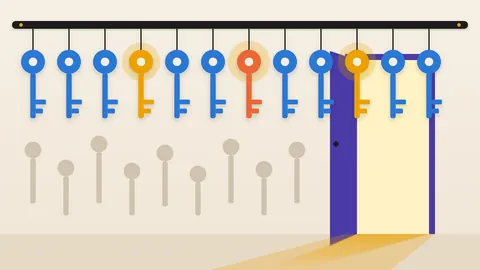
A security switch only protects what it can see
Lockdown Mode is a setting that OpenAI built to make ChatGPT safer for sensitive work. Check Point Research found a way around it. The way around was not in the setting at all. It was in a feature added for convenience.
That is the lesson for any leader approving AI tools. A security control covers the paths its designers thought of. An attacker looks for the one they did not.
What Lockdown Mode is meant to do
Check Point describes Lockdown Mode as an optional advanced setting for logged-in ChatGPT users. It aims to reduce the risk of prompt injection, where hidden instructions trick the AI into sending data out.
Check Point points to OpenAI's own guidance on URL safety for the typical trick. An attacker gets the AI to load a web address with private data tucked inside it. The data then sits in the attacker's server logs. Nothing looks wrong in the chat.
Lockdown Mode closes those exits. According to Check Point, it limits live web browsing to cached content and stops images from loading from the internet. It also blocks network requests from code that Canvas generates. Several features are turned off entirely: Deep Research, Agent Mode, live connectors and file downloads.
How the bypass worked
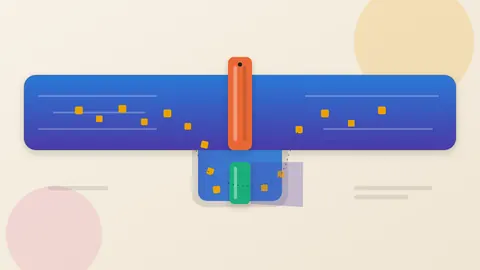
In February 2026, OpenAI added an HTML page preview to ChatGPT code blocks. Check Point says the preview runs inside a sandbox built from two nested iframes. An iframe is a page embedded in another page, and a sandbox limits what that embedded page can do.
The sandbox intercepted attempts to send data out, load remote content or open links. It also replaced the browser's window.open function, which opens popups, so that popups needed user approval.
But the sandbox settings still allowed popups, including popups that escape the sandbox. Check Point found that the replacement function could be sidestepped. The researchers created another iframe inside the preview and used its own window.open, which was the original.
The popup then ran with no sandbox limits. The researchers say this got around both the HTML sandbox and Lockdown Mode. The attacker controlled what the popup showed.
What an attacker could do with it
Check Point says an attacker had three ways to deliver the attack: a crafted prompt, a booby-trapped custom GPT or a chat shared with the victim. It describes three outcomes.
The first is malware delivery. The popup keeps the ChatGPT icon, and the attacker sets its title. A user could be led to download malware disguised as an app update. In the ChatGPT Classic app, the user must still click a link to download. In a browser, Check Point says automatic downloads are not blocked, and a victim needs no account to open a shared chat.
The second is silent data theft. Check Point found that in the Electron-based ChatGPT Classic app, window.open worked without any user action. Simply having a conversation with a malicious GPT or a booby-trapped chat could trigger the attack. The researchers demonstrated a malicious GPT leaking chat messages to an attacker's server.
The third is credential theft. The researchers say they could reload the main ChatGPT window and sign the user out. That could push the user to log in again on an attacker-controlled page.
The fix, and what it does not settle
Check Point disclosed the flaw to OpenAI. On September 18, 2026, OpenAI told the researchers it had removed the two popup permissions from the outer preview iframe. Check Point retested and says the technique no longer works.
The report does not say whether anyone exploited the flaw outside the lab. It also does not say how many users were exposed.
Questions to put to your team
Start with the inventory. Which AI assistants do staff use with medical, financial or customer data? Which of their features run code or render content?
Next, ask what a protective setting really covers. Lockdown Mode was designed around network requests, and the gap sat in a preview feature. OpenAI had put several safeguards around that feature. Ask vendors how new features are tested against existing security settings.
Then set a rule for shared chats. Check Point notes that clicking content in a shared chat can be dangerous. Staff should treat clicking content in a shared AI chat like opening an attachment from a stranger.
Check Point's own conclusion is that guardrails help but offer no absolute guarantee. The practical point is simpler. Every feature added to an AI assistant widens what a security setting must cover.
Produced by the WebPulse Newsroom with AI assistance from the original reporting credited below, and checked against that source by our editorial review. How we use AI.
Original reporting: Check Point Research.