- A researcher published FastUnlock, an unpatched Windows technique that lets someone holding a locked PC run a program on it. ThreatLocker says it reproduced the result.
- It needs physical access and a Microsoft account reachable from the lock screen. It yields a limited account, and no real-world use has been shown.
- Where machines can be lost or left unattended, ask whether BitLocker requires a startup PIN, and whether devices are shut down when unattended.
A locked screen is a door, not a wall
It is easy to assume that an encrypted disk and a locked screen make a lost or stolen laptop safe. A new technique called FastUnlock is a reason to test that assumption.
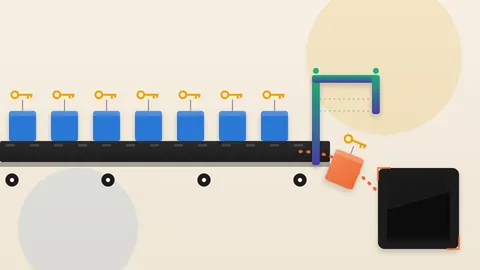
The lesson here is that disk encryption and the lock screen protect different moments. Encryption guards a machine that is off. The lock screen guards one that is already on. FastUnlock works in the gap between the two.
What was disclosed
A researcher using the handles MSNightmare and Nightmare Eclipse published FastUnlock on GitHub. It describes a way to run a program from the Windows lock screen. The researcher says it worked on a BitLocker-encrypted machine running Windows 11 26H2 with the November patch installed.
One limit applies to the researcher's own demonstration. The researcher says they did not show the final step of running a program, because they had no USB stick. They say they have done it enough times to know what happens.
The method needs physical access to the machine. It also needs an account on the machine that is linked to an online Microsoft account. That account must be reachable through the lock screen's recovery options. The researcher says they have not tested Windows 10.
The Hacker News reports that the security firm ThreatLocker tested the method the same day. It says the method works.
The program does not run with full control. ThreatLocker says it runs in a limited account called WSIAccount, and describes that account as "not an administrator account."
The Hacker News also reports that Microsoft has not released a fix. It adds that there is no sign anyone has used the method in a real attack.
How the flaw works
The root cause sits in Narrator, the screen reader built into Windows. The researcher says Microsoft gave Narrator a new look. In doing so, it did not stop the new window from running when Narrator starts from the lock screen's restricted account.
An older safeguard still blocks the same window under the machine's top-level SYSTEM account. The new window was simply not covered by it.
In short, a tool built to help people read the screen can be steered by someone at a locked device. They can use it to reach system settings that normally sit behind sign-in.
WebPulse is not detailing the exact steps the researcher published. They amount to a guide for attackers. The mechanism above is the part a security team can use.
Why BitLocker does not settle it
The Hacker News explains that many Windows computers pair BitLocker with a chip called the TPM. The chip unlocks the drive automatically at startup, with no PIN.
So the drive is already open when the lock screen shows up. The bypass works from that point on.
The outlet notes that FastUnlock does not break the encryption or recover the key. The machine unlocks its own drive in the normal way, and the technique starts after that. The outlet still counts it as a genuine concern when a machine is in someone else's hands.
The researcher goes further. They argue it undercuts the promise that a well-secured BitLocker machine stays closed to an attacker who can touch it. That is the researcher's view.
The conditions above limit who is exposed. An attacker needs the machine in hand, and the machine needs a reachable Microsoft account.
Who carries the risk
The people most exposed are those whose machines can leave their sight. Think of a traveller's laptop, a shared desk, or a front-counter computer a stranger can reach.
The resulting account is not an administrator one. Even so, running a chosen program on someone else's machine gives an attacker a foothold. Defenders have to plan for that.
No official list of affected Windows versions exists yet. Until Microsoft publishes one, treat any machine meeting the two conditions as possibly affected.
What to ask your team
The Hacker News points to Microsoft's countermeasures guidance. It recommends a startup PIN for BitLocker. It also recommends shutting down or hibernating machines when a determined attacker may be close.
The PIN works at power-on. Once the machine has booted and is showing the lock screen, it adds nothing.
Put four questions to IT leadership. Which laptops unlock their drives automatically through the TPM alone, with no startup PIN? Which of those travel or hold sensitive data? Can a startup PIN be enforced on them? Are devices shut down, not just locked, when they leave someone's control?
Also ask who is watching for Microsoft's advisory. Ask who owns applying the fix once it arrives.
A locked screen is one layer of defence. Decide in advance what sits behind it.
Produced by the WebPulse Newsroom with AI assistance from the original reporting credited below, and checked against that source by our editorial review. How we use AI.
Original reporting: MSNightmare (Nightmare Eclipse), via GitHub.