- Orca says several builders let generated apps inherit build-time authority, with different results: owner access on one, leaked database keys on another, unsafe generated functions in a third case.
- In the case Orca tested, prompt injection was not the route. Ordinary application code read the credential, so guardrails on the AI model did not protect it.
- Teams should narrow integrations, rotate keys, check row-level security and audit generated functions. Orca says several issues were unfixed when it published.
The builder's keys stay in the room
A contractor who renovates your office needs keys to every door. A careful one returns them when the job ends. Research from Orca Security suggests some AI app builders do not. The finished app ends up running next to the master keys.
Orca's argument is that the main risk is the place the generated app runs, not prompt injection against the model. That fits two of its three cases. The third is unsafe code the AI itself wrote. So the risk sits in the environment and in the defaults the generator ships.
Why the builder's power reaches the app
An AI app builder needs wide access to be useful. It creates files, adds software libraries, sets up a database, saves code to your repository and reads the services you linked. Orca says the platform therefore gives its build setup broad power over your accounts.
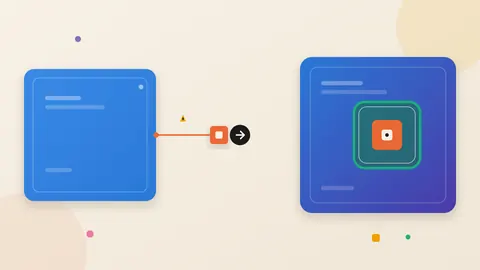
Then the platform runs your finished app in that same setup. Nothing separates the two. Any credential the builder used is still there, and the app can read it too.
Orca calls this ambient authority. It is power that comes from where code runs, not power granted to a named caller for a specific purpose. Orca says the authority was there by default. Developers did not grant it, could not see it and could not revoke it.
Three cases, three different failures
These are not one bug with one result. Orca describes three patterns.
The first is on a major builder that Orca does not name. Every project carries a plaintext environment variable. Orca says it lets the holder act as the account owner on the services connected to that account, including GitHub, Gmail, Slack and Drive. What is exposed depends on what the owner linked. The GitHub link allows reading and writing every repository, private ones included.
Orca also found undocumented endpoints that return a raw OAuth access token for each linked service. A token is a digital pass. This one works directly with GitHub or Google. The platform never sees that traffic, so its logs, rate limits and revocation cannot help.
Collaborators receive the token through the shared shell. Cancelling an invitation does not recall a token already taken. Orca adds that the builder's own security scanner called code that steals the variable clean.
The second case is a different, unnamed builder, and a different kind of flaw. One endpoint gave any logged-in user of the platform a project's database connection details, including a live key. It did not check that the caller owned the project. Project numbers were small sequential integers.
Orca says it counted through one range of numbers and got live credentials for thousands of projects at dozens of organizations. It reports reading data across several unrelated customers. It repeated the result on a new test project. This is a missing access check on one endpoint. It is not owner access to connected accounts.
Most sampled databases also allowed open signup with email auto-confirm. Someone holding a leaked key could therefore create a confirmed account and see what logged-in users see.
The third case is generated code. Orca says nothing is broken on the platform side. The AI wrote the vulnerability. Asked for an app with a database, builders produce Supabase edge functions, which are small server-side functions.
Many of them hold a service_role key, Supabase's administrative credential. It skips row-level security, the rules that limit which rows each user may read. One builder also switches off the JWT gateway, the login check, so anyone can call the function. Orca says the generator sets these defaults, not Supabase.
One developer's code comment shows why this goes unnoticed. It said the publishable key is safe because row-level security protects the data. Orca agrees that matches Supabase's guidance. It is beside the point, because the service_role function goes around those rules. The comment guards the public entrance, while the function is a side route that never meets those rules.
Guarding the model is not enough
The obvious suspect is prompt injection, where an attacker tricks the AI with crafted text. Orca tried it on one major builder. The agent resisted every attempt. Ordinary application code still got the credential, because it only had to read a variable.
Orca concludes that defenses placed at the agent do not protect a credential that lives beside it. In the first case that conclusion is tested directly. In the second, no agent was involved at all. In the third, the model is part of the story because it wrote the unsafe function. Guardrails on the model do not control the environment or the defaults around it.
Questions to put to your team
Some context first. Orca is a security vendor, and its post also promotes its own platform. Orca names none of the builders, so readers cannot independently verify the first two cases. The third pattern can be checked in your own generated code: look for service_role keys and a switched-off JWT gateway. Orca says several issues were still unfixed when it wrote. Its advice does not depend on a vendor fix.
Ask which projects were built with AI app builders, including ones security never heard about. Then ask what each can reach.
Orca's starting point is to treat a generated app as able to reach every service linked to it. Link each project only to the services it truly uses, grant the smallest permissions the builder offers, and disconnect the rest. Replace keys for projects built on these platforms. If a project has ever been shared, remixed or made public, assume the tokens the platform issued for it have leaked and replace them.
Enable row-level security on each table and confirm it works in practice. Orca notes a table with the feature on but no policy is not protected. Check generated backend functions for service-role keys. Make sure every function verifies who is calling it, and switch the login check back on. Review the generated app and its managed database together, since neither half shows what is exposed alone.
The tool that builds your app may be trusted. The app it leaves behind may still hold the keys.
Produced by the WebPulse Newsroom with AI assistance from the original reporting credited below, and checked against that source by our editorial review. How we use AI.
Original reporting: Orca Security.