- Signal says AI assistants built into iOS 27 and Android could capture its screen, so it blocks screenshots on iOS 27 and acts on Android when it detects an assistant reading.
- Signal calls its fix incomplete. It does not cover macOS, filesystem access or every Android vendor, and it asks Apple, Google and Microsoft for opt-out tools.
- Leaders should ask which assistants run on company devices and which apps show sensitive data on screen.
Encryption protects the message, not the screen
Signal has long said its privacy promise rests on open source code and an encryption protocol that has been formally verified. In our reading, that promise covers a message in transit. It says little about what happens once the message is on a screen the phone's own AI can read.
That gap is the story. Signal announced on November 20 that the AI agents now built into mobile operating systems are changing the ground its app stands on. Signal calls them "an existential threat" to privacy at the application layer. This is Signal's view, and it comes from one app. Still, it shows a real shift: the operating system is now a potential reader of everything an app displays.
What Signal changed
Signal says it is restricting how AI assistants can capture its screen on iOS 27 and on Android. It names Google's Gemini Intelligence and Apple's Onscreen Awareness with Siri AI as the systems it has in mind.
The two platforms are handled differently. On iOS 27, Signal prevents screenshots in the app. On Android, the protection works only where Signal can detect an assistant attempting to read the screen. When it does, it automatically enables its "Screen security" setting.
Signal says it chose this route because, on many Android vendors, it cannot reliably detect a screenshot attempt when screenshots are already off. Disabling screenshots outright would also leave users confused when they simply stop working.
Users can turn the protection off in Signal's settings. Signal warns that doing so could potentially expose a user's content, and their contacts' content, to these agents. The Verge quoted Signal president Meredith Whittaker in its report on the announcement.
How the capture works
An assistant that answers questions about what you are doing needs to see what you see. Signal says these agents "scan" the screen. The text and images they take in are then available to whatever local database or remote server the agent uses. Once captured, the data is outside Signal's control.
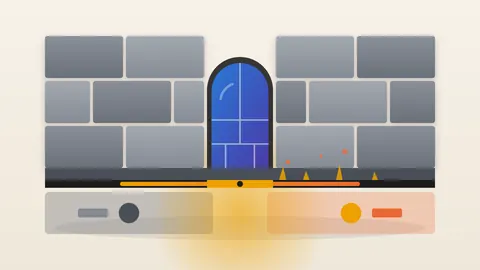
Screenshots matter because, Signal says, they are how most agentic systems get data from apps like its own. An app can set a flag asking the operating system to treat its window as protected. A protected window comes back blank or refused when something tries to grab an image of it. An assistant that depends on that image then has nothing to read.
The flag only guards one route. Signal says restricting screenshots does not address other ways an agent could access app data, such as reading content already on the device through the filesystem. The text of a message stored on the phone does not pass through the screen buffer at all.
Signal also points to accessibility permissions. These were built so that assistive tools can read and operate an app on behalf of people who need help. Signal says some third-party agents, such as Meta's Muse, use them as a "skeleton key". That is Signal's description of the risk. Signal does not say how this route works or whether a screenshot block covers it. Our own reading is that accessibility access works through the app's interface rather than a captured image, so a screenshot block would not obviously cover it.
The Windows precedent is more detailed. Signal says Microsoft's Recall captures the screen every few seconds. It reads the text from each image and stores it in a searchable on-device database. Signal says this could potentially keep messages indefinitely, including ones set to disappear. Last year Signal used screenshot blocking on Windows 11 to prevent it.
Where the fix stops
Signal calls its remedy incomplete. Beyond the filesystem route, it cannot cover every Android vendor.
The largest gap is macOS. Signal says it cannot reliably block screenshots there. Protections against continuous screen capture exist, but it says they do not apply to screenshots. The documented tools it found work only for streaming media and other copy-protected content.
For macOS 27 users, Signal offers one manual step. A user can add Signal to the Excluded Apps list under Siri in System Settings. Signal says that keeps Siri AI from proactively reading message content.
The risk falls on people who never chose it
Signal makes a point that is easy to miss. A conversation has at least two people. Signal says capture imperils the privacy of all participants. A contact who never enabled an AI assistant could potentially have their words captured and stored by someone else's.
The lesson here is that privacy now depends on what every participant's device does with the screen. Signal's block applies on each person's own device, and only while that person has the protection enabled. The pattern resembles a company that builds a strong vault and then discovers a camera the building's owner installed in the room. The vault is intact. The room is not private.
What leaders should ask
Signal speaks only for itself. It does not say how many other apps are affected. It says it is cautiously optimistic that some OS providers, such as Google and Apple, are engaging with it. It does not report a fix. Still, its experience gives executives practical questions.
First, which AI assistants are switched on across company phones and laptops, and who decided? Second, which apps your staff use show sensitive material, such as legal drafts, customer records or board messages? Third, does your device policy cover operating-system AI features, or only apps? Fourth, do your platform vendors document what their assistants capture and where it is stored? Signal says it lacks that documentation today.
Signal is asking Apple, Google and Microsoft for two things: an easy, documented way for developers to opt apps out of AI data access, and clear technical specifications of how the agents work. Those are reasonable asks for any buyer of enterprise devices to repeat in a vendor review.
An app can protect a message in transit, but it has little say once the message sits on a screen the operating system can read.
Produced by the WebPulse Newsroom with AI assistance from the original reporting credited below, and checked against that source by our editorial review. How we use AI.
Original reporting: Signal.