- Chrome is running an origin trial of HTML-in-Canvas in versions 148 to 150, which lets real HTML be drawn into a canvas while staying in the accessibility tree.
- Canvas-drawn interfaces lose browser features that depend on page structure. The proposal tries to restore them, but its design, security limits and names are still changing.
- Teams that ship canvas-based interfaces can test it in Chrome Canary and ask how they handle accessibility today. Nothing here is a standard yet.
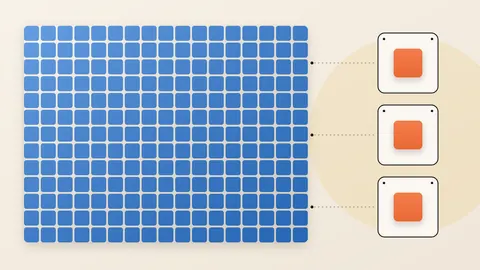
Some of the most demanding web apps skip the page's normal building blocks. They draw everything as pixels on a surface called a canvas. Chrome's documentation names Google Docs and Figma as apps that need this low-level access. The trade-off is real. The Chrome team writes that browser features relying on page structure stop working once an interface is trapped in the pixel grid.
The lesson here is simple. A pixel carries no meaning of its own. Screen readers, translation, find-in-page and autofill all depend on structure. A canvas throws that structure away. HTML-in-Canvas tries to give it back without losing the speed of drawing directly.
What Chrome announced
On October 23, Chrome announced that the API is available in an origin trial. An origin trial lets a site switch on an experimental feature for its real users. The trial runs in Chrome 148 through 150.
Developers can also test it on their own machines. Chrome's guide says to use Canary, the early-build channel, at version 149 or newer, with the canvas-draw-element flag enabled. The explainer also asks testers to turn on the enable-experimental-web-platform-features flag.
The design comes from the Web Incubator Community Group (WICG), working with the Chrome team. Its explainer is a living document that changes as feedback arrives. It is not a finished web standard.
The gap it tries to close
The explainer starts from a plain problem. Developers have no easy way to lay out rich text and mixed content inside a canvas. It says canvas apps pay for this in accessibility, language support, speed and visual quality.
Its own list of use cases is practical. The examples include text-rich chart parts such as legends and axes, content panels in creative tools, and menus inside games.
How it works
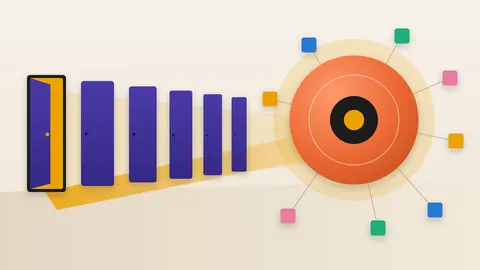
The explainer describes five building blocks. Four of them matter most for a non-specialist.
First, developers place HTML elements inside the canvas and mark them as drawable. The browser lays them out and records a snapshot of how each one looks.
Second, a new paint event tells the canvas code when a snapshot would look different. Third, a method called drawElementImage() paints the snapshot onto a 2D canvas. WebGL and WebGPU, the 3D graphics interfaces, get matching calls that paint into a texture.
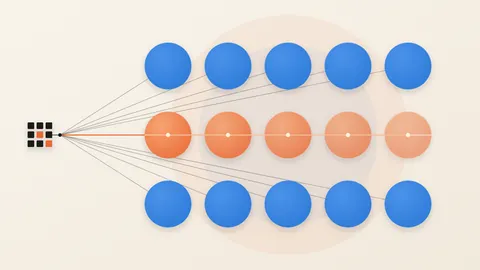
Fourth, the browser must know where the drawn element sits, so a click lands on the right thing. A method called updateElementGeometry reports this. In 2D canvas it runs on its own. In 3D, developers must call it, because the canvas does not expose the position data it needs.
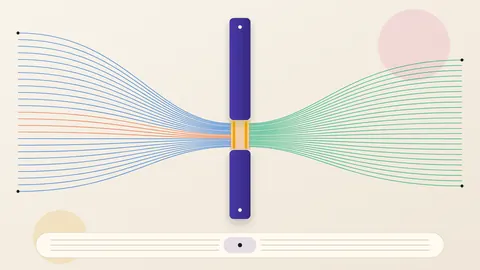
The proposal also lets work leave the main thread. A snapshot, called an ElementImage, can be handed to a background worker. The worker paints it on an OffscreenCanvas, a canvas that runs away from the page itself.
What it means for accessibility
The explainer says drawable content is exposed to assistive technology like regular page content. There is one special case. If an element's position is never updated, it is still reported, but without position data.
The explainer adds a caution. Unused or hidden views should be removed, or hidden with attributes such as aria-hidden="true".
This matters because of how teams cope today. The explainer says maintaining accessible canvas experiences requires manually keeping a parallel set of page elements in sync with every draw call. That is the work the proposal aims to reduce.
The security guardrail
Drawing page content into pixels raises a data-exposure question. Canvas code could learn things it should not see. The explainer sets one rule. Drawing and the paint event must not reveal anything sensitive that author code cannot already observe.
To meet that rule, some content is left out of painting. The explainer lists cross-origin data in iframes and images, and URL references such as background-image. It also lists canvases tainted with cross-origin data and some SVG features.
Pending autofill data, input-method pop-ups and find-in-page markers are excluded too. Same-origin iframes still paint. Cross-origin content inside them does not.
These are design goals in a proposal. The sources do not report an independent security review.
What is still unsettled
The explainer weighs three moments at which the paint event could fire. Some options loop. That means a developer's canvas code may run several times in one rendering update.
One option needs a synchronous paint step. The explainer says that step is hard to build in Gecko, Firefox's engine. Another option runs into trouble with WebGL, because some calls force a flush and could cause a lock-up or inconsistent drawing.
A third option, called Option C, fires paint just once per update, so it skips the looping the first two need. Page changes made inside the event then apply to the next update. The explainer does not name a final choice.
The two documents also disagree on names. The explainer uses a content="drawable" attribute and a texElementSubImage2D call. Chrome's guide uses a layoutsubtree attribute and texElementImage2D. The sources do not say which is current. Treat the surface as moving.
Questions for your team
Ask which of your products draw their interface into a canvas. Include internal tools and customer dashboards. Ask how each one stays accessible today, and who maintains that work. Ask whether translation, find-in-page and autofill work in them.
Then ask for a contained test in Canary, with feedback sent to the WICG. Do not build a production roadmap on an experimental API. The proposal itself asks testers what fails and how accessibility can improve, so early feedback is wanted.
A pixel can be seen, but only structure can be read aloud, translated and searched.
Produced by the WebPulse Newsroom with AI assistance from the original reporting credited below, and checked against that source by our editorial review. How we use AI.
Original reporting: W3C Web Incubator Community Group (WICG), with the Chrome team.